By Mark N Stamp | 10 min read
A dot peen machine’s price comes down to a handful of choices. These are the format (handheld, table top or line-mounted), the marking window size, how it’s driven (electric, pneumatic or battery), the controller, the number of axes, the accessories, and whether it has to talk to your line. Dot peen setups generally cost less than laser marking machines at a similar level of automation, but the gap narrows once you add options.
Key insights
- Window size is a quiet price driver: a bigger marking area means a bigger, stiffer mechanism.
- Automation costs more than the head: inputs, outputs and line integration usually add more than the marking unit itself.
- Accessories change the total: stands, rotary attachments and fixtures can move a quote a long way.
- The cheapest quote isn’t the cheapest machine: running costs, stylus life and downtime matter over five years.
Before you go
Ask every supplier to quote the same spec, line by line: machine, controller, stand, stylus, accessories, software, training and warranty. Comparing a bundled number against an itemised one is how buyers end up surprised.
You ask three suppliers for a dot peen machine and get three numbers that look like they’re for three different products. It’s confusing, and it makes you wonder if someone’s padding their quote.
Usually, nobody’s padding anything. “Dot peen marking machine” covers everything from a compact battery unit you carry in one hand to a multi-axis station wired into a production line. The price follows what’s actually in the box.
So instead of chasing a single number, it helps to know what moves the price. Then you can build the spec you need, and compare quotes that are really comparing the same thing.
Why do dot peen machine prices vary so much?
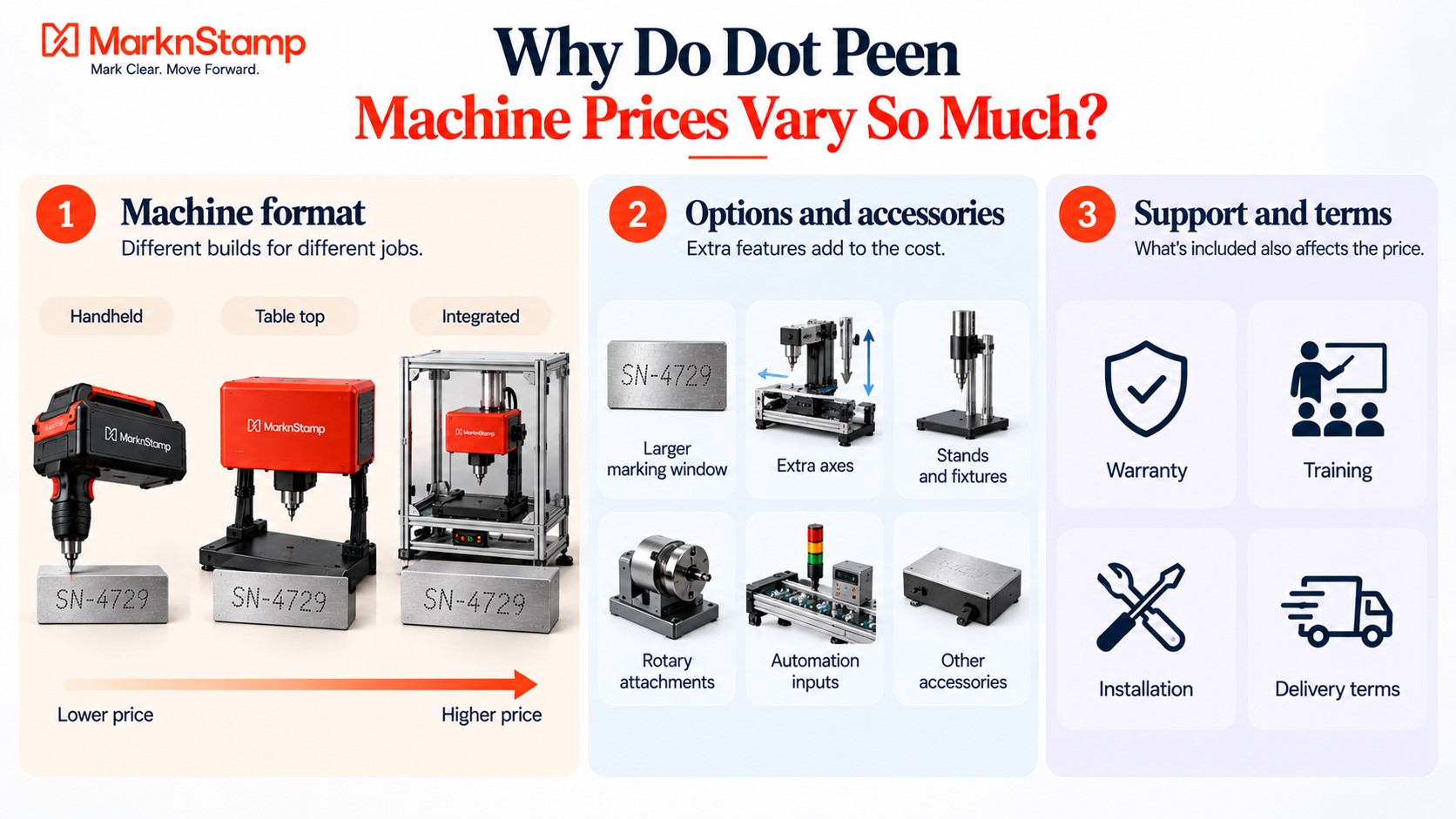
Because the same name covers very different machines. Here’s the big picture before we get into details.
Format sets the starting point
Handheld, table top and integrated machines are built for different jobs, with different frames, controllers and electronics. That’s the first and biggest split in price.
Options stack on top
Bigger windows, extra axes, stands, rotary attachments, automation inputs and accessories all add cost. Two machines with the same model name can be quoted very differently depending on what’s added.
Support and terms matter too
Warranty, training, installation and delivery terms are part of the price, even when they’re not listed. That’s why line-by-line quotes are so useful.
| Price driver | Pushes cost down | Pushes cost up |
| Format | Handheld or portable | Station or line-integrated |
| Marking window | Small, e.g. 50mm x 30mm | Large, e.g. 420mm x 300mm |
| Drive | Electric | Pneumatic with high-depth valves |
| Controller | App on your own phone | Dedicated touch screen or PC |
| Axes | 2 axis | 3 or 4 axis |
| Automation | Standalone | Inputs, outputs, PLC link |
| Accessories | Standard stylus only | Stands, rotary, fixtures, Auto-Sense |
| Duty | Occasional marking | Continuous production |
How does the machine format affect the price?
This is where most of the difference comes from.
Handheld and portable
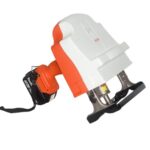
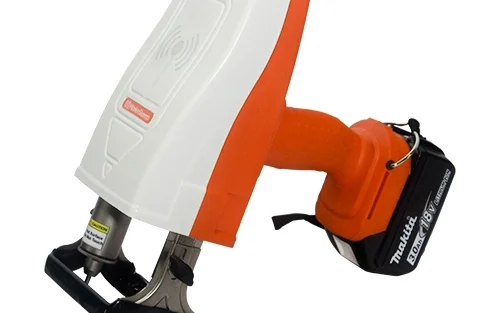
Battery machines like the MNSB-53 have a compact head, a small window and app control on your own device. Fewer parts means a lower starting point.
Table top stations
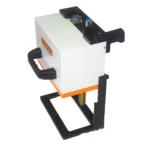
Machines like the MNS-TC and MNS-HTC sit on a stand, use a 120mm x 100mm marking area and come with a dedicated touch screen. The frame, stand and controller add cost, but you get a steadier, faster setup for repeat parts.
Integrated and line-mounted
Integration heads bolt into your existing equipment, and computer-based machines like the MNS-PC connect over Ethernet or Wi-Fi. You’re paying for the ability to run without an operator at the screen.
Does the marking window size really change the price?
Yes, more than most buyers expect.
Bigger windows need stronger mechanics
A larger area needs longer axes, stiffer guides and more travel. That’s more metal and more precision engineering.
Size options on the same controller
Mark N Stamp’s CNO3 controller runs a standard 120mm x 100mm window, with optional windows of 160mm x 160mm, 300mm x 210mm and 420mm x 300mm. Each step up is a bigger machine.
Buy for your longest mark, not your dream mark
Measure your longest string and largest logo. Buying a window you’ll never fill is the easiest way to overspend.
How do electric, pneumatic and battery compare on cost?
The drive type changes both the machine price and what you’ll spend around it.
Electric
Electric machines plug in and run, with no compressor needed. They’re a good fit for light to medium marking on finished parts.
Pneumatic
Pneumatic machines give strong, deep marks and suit rough or hard parts. They need a clean, regulated air supply, so if you don’t already have one, add a compressor and pressure regulator to your budget.
Battery
Battery machines skip both the cable and the airline. Factor in spare batteries if you’ll mark all shift. The MNSB-TC ships with an 18V 3Ah pack, with 5Ah, 6Ah and 9Ah options available.
What do the controller and software add?
The way you tell the machine what to mark has a real price tag.
App on your own device
The cheapest route. The MNSB-53 and MNSB-155 run from an app on Android, iOS or Windows.
Built-in touch screen
A dedicated 7 inch touch screen, like the one on the MNSB-TC or the CNO3, costs more but removes the need for a phone or laptop.
PC and network connection
Ethernet or Wi-Fi links, barcode reading and file transfer are what you pay for when the machine has to fit into a wider system.
How much do axes and automation add?
This is where a simple machine becomes a production tool.
Extra axes
Table top machines usually start as 2 axis machines. Upgrading to 3 or 4 axes adds height control or rotation, which costs more but lets one machine mark more kinds of parts.
Inputs and outputs
The MNS-PC and the MNS-HTC have five inputs for automatic design selection, so a PLC can tell the machine which layout to mark. The MNS-PC also has outputs that signal end of marking, machine ready and error. That logic adds cost, and it also prevents wrong-part mistakes on mixed lines.
Integration work
Fitting a head into an existing line can need brackets, guarding and wiring on your side, so budget for some engineering time on top of the machine.
Which accessories change the final number?
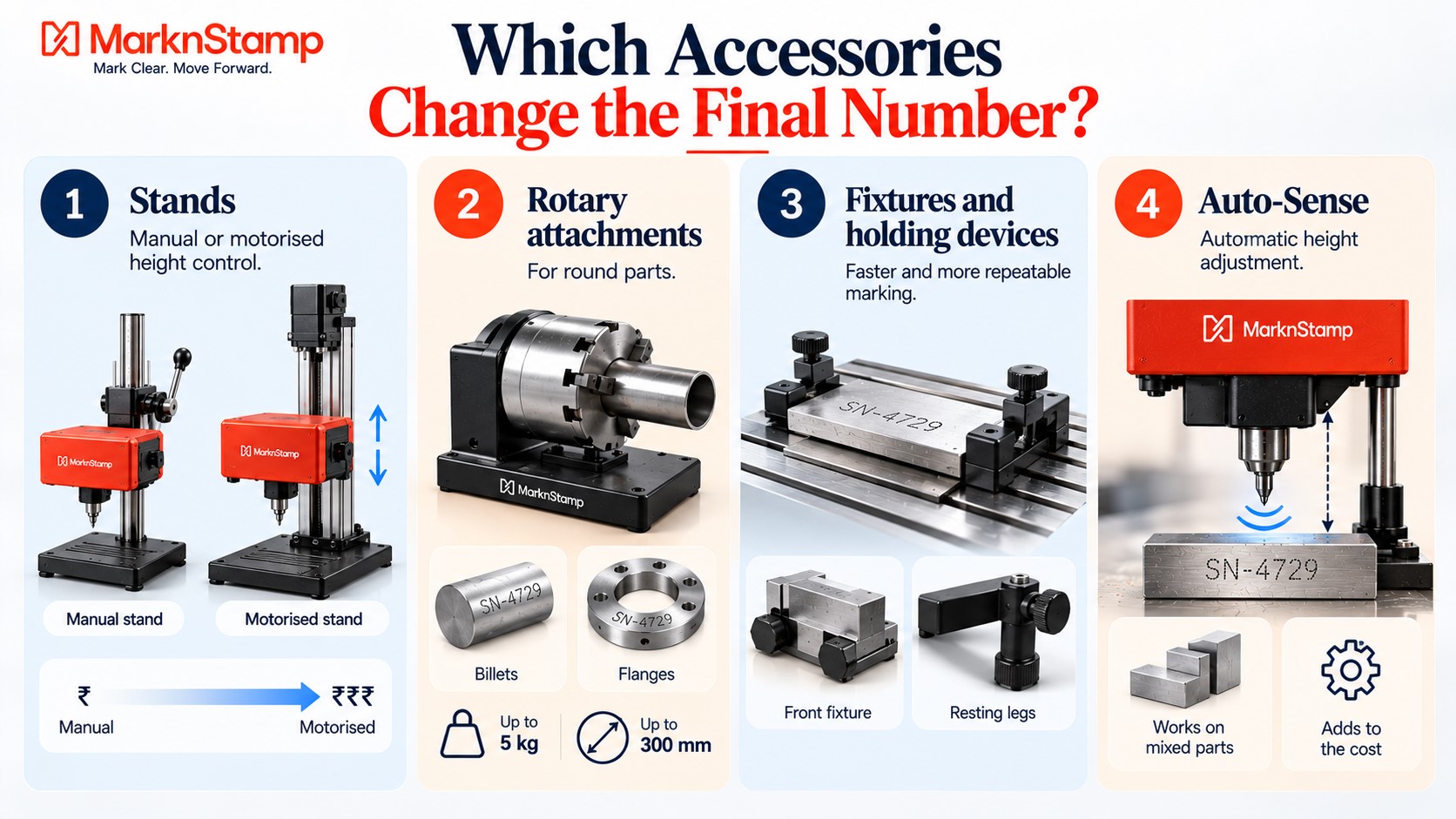
Accessories are where two quotes for “the same machine” often split apart.
Stands
CNO3 setups can use manual stands in light or heavy duty, or a motorised Economy or Fast Z stand. Motorised height control costs more, and it saves time when parts vary in height.
Rotary attachments
Mark N Stamp’s small rotary handles billets and flanges up to 5kg and 300mm in diameter, with extra heavy-duty versions available. You’ll need one if you mark around round parts.
Fixtures and holding devices
Front fixtures, resting legs and name plate clamping devices make marking faster and more repeatable. They’re small items that add up.
Auto-Sense
Automatic height adjustment is a newer CNO3 accessory. It’s useful on mixed parts, and it’s an extra line on the quote.
How does dot peen compare with laser marking machines on cost?
This comes up in almost every enquiry, so it’s worth a straight answer.
Upfront cost
At a similar level of automation, a dot peen machine usually costs less than a fiber laser station. Laser systems carry a laser source, a galvo scanner, an F-theta lens and, on enclosed models, a Class 1 safety housing.
Running cost
Dot peen styluses wear and get replaced. Lasers don’t have a contact tip, but they need fume extraction and careful handling of optics. Both are modest next to the machine price, but they’re real.
When the comparison flips
If you need high-speed marking of fine logos, codes on plastics, or marks on anodised parts without breaking the finish, a laser may be worth the higher price. Mark N Stamp’s guide to the true cost of cheap marking machines covers what happens when buyers pick on price alone.
| Factor | Dot peen | Fiber laser |
| Typical upfront cost | Lower | Higher |
| Contact with the part | Yes, stylus | No |
| Consumables | Stylus | Minimal, plus fume filters |
| Air or power needs | Electric, pneumatic or battery | Mains power |
| Best value when | Deep, durable marks on metal | Fast, fine marks and mixed materials |
What should a good quote include?
Ask for these items separately and you’ll be able to compare properly.
The core items
The machine and its marking window, the controller and software, and the standard stylus.
The extras
Stand, rotary, fixtures, spare styluses, spare batteries and any automation inputs or outputs you need.
The terms
Warranty, training, installation, and delivery terms. “Ex-works” means the price is at the factory gate and you arrange shipping, which is one of the Incoterms rules published by the International Chamber of Commerce used in trade. Check whether GST, packing and freight are included.
The long view
Look at the total cost of ownership, not just the invoice. Stylus life, downtime and service response matter over the years you’ll own the machine.
Wrapping up
There’s no single price for a dot peen marking machine in India, because there’s no single dot peen machine. Format, window size, drive, controller, axes, automation and accessories all move the number, and the support and terms around them matter just as much.
The most useful thing you can do is decide what you actually need to mark, on what parts, how often and where. Then ask for an itemised quote against that spec. It’s also worth checking whether buying in-house even beats outsourcing, and Mark N Stamp’s piece on the ROI of buying a dot peen machine vs outsourcing part marking walks through that maths.
When you’re ready, send Mark N Stamp your part, your longest mark and your monthly volume, and ask for a quote built around that rather than a catalogue price.
FAQs
Why are dot peen marking machine prices so different between suppliers?
Because quotes often cover different specs. Format, window size, drive type, controller, axes, accessories and automation all change the price. Ask for itemised quotes on the same spec to compare fairly.
Is a dot peen machine cheaper than a laser marking machine?
Usually, at a similar level of automation. Laser marking machines include a laser source, scanner, lens and often a safety enclosure. A laser may still be better value for fine, fast or non-metal marking.
Does a bigger marking window cost more?
Yes. Larger windows need longer axes and stiffer mechanics. Buy a window that fits your longest mark and largest logo, rather than the biggest one available, to avoid paying for unused capacity.
Do pneumatic dot peen machines cost more to run?
They need a clean, regulated compressed air supply. If you already have one, the extra cost is small. If not, add a compressor and regulator to the budget when comparing with electric or battery models.
What does ex-works price mean on a marking machine quote?
It means the price is at the supplier’s factory, and you arrange and pay for shipping from there. Check whether GST, packing, freight and installation are included or extra before you compare quotes.
What extras should I budget for with a dot peen machine?
Spare styluses, spare batteries for cordless models, fixtures, a stand or rotary attachment if your parts need one, and an air supply for pneumatic machines. Training and service terms are worth confirming too.